
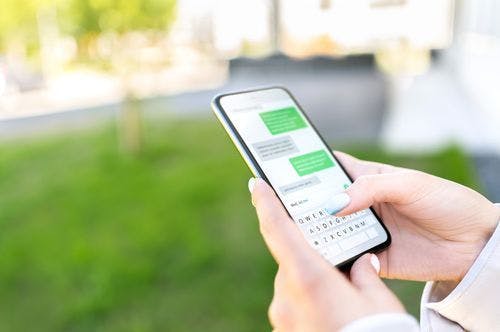
SMS scams
What are SMS scams?
SMS Scams (text message/smishing) often appear legitimate, sometimes even showing in the same message stream as the real organisation or presenting the same number using a technique called ‘spoofing’.
The introduction of the SMS Sender ID Register assists in mitigating SMS spoofing, however, it is still important to remain vigilant and do your own due diligence to verify the contact directly with the person or organisation.
Commonly impersonated organisation include, banks, parcel delivery services, telcos or internet providers, government agencies, online retailers, streaming services, or gas and electricity providers. The motivation of sending the fraudulent SMS is to get you to click on a link and/or call a number with the goal of:
- Acquiring your login details (such as username and password)
- Taking over access of your accounts
- Obtaining financial gain
- Downloading malicious applications and viruses to your device
- Gaining remote access to your device
Individuals are more likely to respond to a scam SMS if they have recently interacted with the legitimate organisation, are customers of that organisation, or are experiencing a difficulty with that service.
Prevention checklist
How can I avoid SMS scams?
- Don’t click links within a text message. Instead, contact the organisation directly using details you find independently, such as on their legitimate website.
- Download the legitimate app for the organisation – this will allow you to check communications, track parcels, and contact the organisation securely.
Detection
It is always safest to assume that an SMS is a scam, and contact the legitimate organisation by phone, through their app, or in person. If the organisation asks you to login to your account, don’t use the link provided in the message. Instead, open the app you have already downloaded or type in the web address that you know is correct for that organisation.
SMS scams are becoming increasingly sophisticated, with many using the exact wording that the real organisation uses in their text messages. You can no longer rely on spotting a fake SMS through spelling errors, grammatical mistakes, or because they come from different phone numbers than usual.
Response checklist
If you or someone you know has been involved in an SMS scam, the below checklist outlines some measures you can take to prevent further financial harm.
- Review your browser’s privacy and security settings to make sure you’re comfortable with what’s checked or unchecked. For example, look to see if your browser is blocking third-party cookies, which can enable advertisers to track your online activities.
- Clear your browsers cache and cookies.
- Download the latest updates for your browser.
- Check plug-ins and extensions. If you find anything unusual, remove it straight away.
- Change all passwords that you have intentionally or perhaps unintentionally saved to the browser.
- Check for any recent downloads to your device that you do not recognise and remove.
- If you have backed-up your phone, install a backed-up version from before you received the SMS.
- Disconnect your phone from the internet.
- Using a different phone, contact your banks to advise them and request additional security on your account.
- Contact the legitimate organisation and request additional security on your account and assistance with changing your login details and setting up multi-factor authentication.
- Run your antivirus software on your phone.
- Review your browser’s privacy and security settings, as described above.
Go through all applications on the device to detect any unknown programs. Remove them immediately.
- Apple: Using a different device, log into your Apple account/ID through the official Apple website. Check all personal information including the phone numbers and email addresses associated with the account are correct. Check all devices you are currently logged into and log out any unknown devices. We recommend periodically updating your Apple ID password and do not use the same password as other accounts. If you would like further support with your Apple devices, you can contact Apple on 1300 321 456.
- Android/other: Run antivirus software then update any relevant passwords (e.g. Google Play/Gmail password). If your antivirus application allows, set it to update and run automatically.
**If at any time during the scam you were asked to provide your driver licence, Medicare card, passport, tax file number, IRD number, banking or other online account details, or to give remote access to your device, contact IDCARE by submitting a Get Help Form or call 1800 595 160 (Aus) or 0800 121 068 (NZ).
If you would like to provide feedback please use our Feedback Form.
Join the global list of organisations making a real difference in people’s lives by supporting our service.




















































Copyright © 2025, IDCARE. All Rights Reserved.
ABN 84 164 038 966